
TeraCryption
Enterprise File Encryption System


File Encryption System for
Businesses. Control Who Can Open Encrypted Files on Servers and Cloud.
Restore Operations Quickly After A Cyberattack.
Featured Insight & Resources
File Encryption Systems With Automatic Key Management For Transparent Operation
TeraCryption is an Enterprise File Encryption System (EFES) designed for organizations that need to protect sensitive business files without disrupting normal workflows.
Controlled Encrypted File Sharing
TeraCryption Standard controls encrypted file sharing through authorized Groups. TeraCryption Enterprise adds File Ownership control, allowing file owners to select which authorized members of their Group can decrypt individual files they own.
TeraCryption is a file encryption system designed to protect business files stored on servers or in cloud platforms while providing controlled access and encrypted file sharing across teams. Unlike traditional enterprise encryption approaches, TeraCryption provides enterprise file encryption without changing how users normally work, allowing organizations to maintain normal workflows while protecting sensitive files.
Enterprise Transparent File Encryption (ETFE)
TeraCryption belongs to the subcategory of Enterprise Transparent File Encryption (ETFE), meaning encryption and decryption occur automatically and invisibly, without requiring users to change how they work.
Secure Team Workflow and Access Control
Organizations need files to remain accessible for team workflow while restricting access to authorized users only. This is especially important in environments that require file encryption systems to protect sensitive business data across teams, departments, and external collaborators.
For example, engineering and architecture firms often require dedicated CAD file encryption to protect DWG, BIM, and project drawings shared between teams and contractors.
Restrict Access Inside Shared Folders
In traditional environments, employees often have access to entire shared folders. TeraCryption uses Group-based access control so users can decrypt files only when they are authorized members of the corresponding Group. TeraCryption Enterprise can provide additional control over individual files within the Group.
Persistent File Protection
File-level encryption remains with the file after copying, emailing, downloading, restoring from backup, or moving the file to cloud storage.
The TeraCryption file encryption system controls who can decrypt an encrypted file everywhere the file travels — not only where it is stored.
Enterprise Encryption Controls
-
Users and Groups: The administrator creates Groups and assigns authorized users according to the organization’s departments, projects, clients, or other security requirements. Users can decrypt files encrypted to the Groups to which they are assigned.
-
Shared Folders and Cloud: File encryption and access permissions remain enforced after copying or sharing, allowing organizations to use encrypted files on servers and supported cloud platforms.
-
No Key Handling: Users do not need to create, store, retrieve, or exchange encryption keys.
-
Ransomware Protection: Stolen files remain unreadable.
-
Central Administration: The administrator manages users, Groups, and organizational security settings through the TeraMail Administration Console.
TeraCryption integrates TeraKey encryption, TeraLink connectivity, Automatic Key Management™, Group-based access control, and centralized administration as part of a complete enterprise file encryption system.
Secure External File Sharing Through Windows File Explorer

Deliver encrypted files directly to authorized remote clients through Windows File Explorer.
TeraCryption provides encrypted document sharing with authorized remote clients through Windows File Explorer. Encrypted files are delivered without using email attachments or public file-transfer services, and authorized recipients use TeraKey CLIENT to decrypt and open them.
TeraCryption is an enterprise file encryption system that protects sensitive files stored on servers, shared folders, and supported cloud storage while providing controlled encrypted file sharing and recovery capabilities.
As an Enterprise File Encryption System (EFES) with Enterprise Transparent File Encryption (ETFE) capabilities, TeraCryption integrates encryption and decryption into normal user workflows.
Key advantages
-
File-level encryption with Group-based access control, with TeraCryption Enterprise adding File Ownership control for individual encrypted files.
-
Automatic Key Management™: Users do not need to create, store, retrieve, or exchange encryption keys. Each file is encrypted using unique one-time cryptographic material that is not reused to encrypt another file.
-
Ransomware Recovery: TeraBackup allows restoration of encrypted files from the encrypted cloud mirror following file loss or destruction.
-
Simple deployment without requiring encryption key-management software or key-generation hardware on the organization's server, while using the organization's existing server and cloud storage infrastructure.
-
Compliance support: Enterprise file encryption capabilities that can support organizational security requirements associated with ISO 27001, NIST, and GDPR.
-
Encrypted files remain encrypted in place, whether stored on servers or cloud platforms.
-
Encryption and decryption performed in seconds, supporting normal workflows.
-
Encryption and decryption are transparent to the user and integrate with Windows File Explorer for normal file operations, minimizing changes to existing workflows.

File Encryption Systems for Security and Recovery Applications.
What is an Enterprise File Encryption System?
An enterprise file encryption system automatically encrypts files and controls who can decrypt them based on user authorization rather than simply where the files are stored. Users do not need to manually manage encryption keys.
File-level encryption remains with files when they are copied, emailed, downloaded, restored from backup, or stored on servers and supported cloud platforms.
Businesses use file encryption systems to control sensitive files across employees, departments, contractors, partners, and external users while supporting normal business workflows.
Enterprise environments can use structured Group-based access so multiple authorized users can work with encrypted project files while access remains restricted to authorized Group members.
WHY YOU NEED TERACRYPTION - The bottom line!
-
Add a file security layer.
-
Restore operations quickly after a hacker attack.
-
Stop unauthorized people from reading sensitive files.
-
Encrypted files are automatically stored in centralized Group folders on the server or cloud.
-
ZERO TRUST security.
-
Secure file sharing supporting HIPAA security requirements.
Cloud File Encryption and File Server Encryption
TeraKey encrypts shared Group files as they are created or edited and saved. Users do not need to manually manage encryption keys.
Encrypted files are stored in Group folders on the organization's server or supported cloud storage. Only authorized Group members can decrypt files using their TeraKey application. There is no need for users to access the physical storage location.
Organizations can use supported cloud storage services such as Google Drive, Microsoft OneDrive, or Amazon S3 for shared Group encrypted file storage or for backup and recovery. Files remain encrypted in storage and are updated when authorized Group users edit and save them.
TeraCryption allows organizations to use existing server infrastructure or supported cloud services while maintaining file-level encryption, Group-based access control, and normal user workflows.
Components of a File Encryption System
A complete enterprise file encryption system must control file access everywhere the file travels — not only where it is stored.
Users and Groups
The administrator creates Groups and assigns authorized users. Users can decrypt files encrypted to the Groups to which they are assigned.
TeraCryption Enterprise File Owner Controlled Sharing
-
TeraCryption Enterprise adds File Ownership Control for users assigned ownership rights by the administrator. File owners can select which authorized members of their Group may decrypt individual files they own.
-
After saving an owned file in a shared Group folder, TeraCryption automatically encrypts the file and allows the file owner to select which authorized members of the Group may decrypt it. The owner can select no other users, one user, multiple users, or the entire Group.
-
Decryption permissions can be changed at any time, allowing the file owner to grant or revoke access for authorized Group members without moving or duplicating the encrypted file.
-
This supports normal team workflow while keeping individual owned files restricted to the authorized Group members selected by the file owner.
Shared Folders and Cloud
Permissions remain enforced after copying or sharing, enabling secure use of servers and cloud platforms without exposing file contents.
Automatic Key Management
Users do not need to create, store, retrieve, or exchange encryption keys. Each file is encrypted using unique one-time cryptographic material that is not reused to encrypt another file.
Storage-Independent Protection
Files remain encrypted on servers, cloud storage, backups, and email attachments through consistent file-level encryption.
Central Administration
The administrator manages users, Groups, and organizational security settings through the TeraMail Administration Console.
TeraCryption integrates TeraKey encryption, TeraLink connectivity, Automatic Key Management™, Group-based access control, and centralized administration as part of a complete enterprise file encryption system.
TeraCryption supports organizations across North America, including the United States, Canada, and Mexico.
Engineering and CAD File Protection Use Cases
-
AutoCAD
-
Sketchup
-
Revit
-
Rhino
-
ArchiCAD
-
3DSMax
-
Vectorworks
-
Allplan
-
BricsCAD

TeraCryption Core — On-Premises Operation: For organizations requiring TeraCryption operation without dependency on a continuous Internet connection to the TeraCryption SaaS, ask us about the upcoming TeraCryption Core on-premises configuration.


TeraCryptor for emergency offline decryption of encrypted files. Not required for normal TeraCryption operation.
Use Cases and Supported Environments
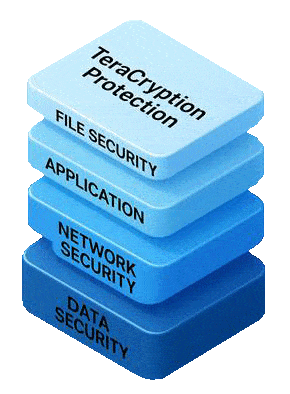
TeraCryption adds file-level encryption and controlled access to sensitive business files while allowing normal team workflow.
TeraKey encrypts shared Group files as they are created or edited and saved. Files can be stored on the organization's server, supported cloud platforms, or authorized local storage.
Encrypted files can be shared with authorized users based on Group membership and access controls while remaining encrypted in the organization's designated storage environment.
Benefits of Encryption for Business Files
TeraCryption combines enterprise file encryption, controlled access, and encrypted file sharing across distributed environments.
-
Automatic file encryption with Automatic Key Management™, eliminating the need for users to create, store, retrieve, or exchange encryption keys.
-
File-level encryption keeps files encrypted wherever they are stored, copied, or shared.
-
Encrypted file management across servers and cloud platforms.
-
Explorer integration for seamless user experience.
Easy to use:
-
Encryption tracking and visibility for administrators.
-
Automatic Key Management™ eliminates the need for users to create, store, retrieve, or exchange encryption keys.
-
Ransomware Recovery: TeraBackup allows restoration of encrypted files from the encrypted cloud mirror following file loss or destruction.
-
Simple deployment without requiring dedicated encryption key-management infrastructure on the organization's server.
-
Explorer integration allows users to work with encrypted files using familiar drag-and-drop and double-click actions without changing workflow.
Encrypted files are never uploaded to TeraCryption servers. Files remain under your control and stored in your chosen environment.
Multi-step authentication and Automatic Key Management™ ensure that users can access only authorized files without handling encryption keys.
Engineering and CAD Environments
Engineering companies handle valuable intellectual property, so organizations often implement CAD project encryption to prevent unauthorized access to design drawings and project files.
Mass Encryption of Files and Folders While Preserving The Folder Structure
Authorized users can encrypt entire folders, including subfolders and files of any type and size, while preserving the original structure. This enables fast encryption of folders with large files and archives.
No Master Key Required for Normal Operation
TeraCryption does not require customers or users to manage a master encryption key for normal operation.
Automatic Key Management™ eliminates the need for users to create, store, retrieve, exchange, or safeguard encryption keys as part of their normal work.
For business continuity, TeraCryptor provides a separate emergency offline decryption capability if the normal TeraCryption SaaS becomes unavailable.
TeraCryptor is not a master key and is not required for normal TeraCryption operation.
TeraCryptor — Emergency Offline File Decryption
TeraCryptor provides a controlled method to decrypt critical encrypted files only when normal online TeraCryption SaaS is unavailable, such as during an extended Internet or service interruption.
USERS
-
Law Firms
-
Accountant Firms
-
Financial Consultants
-
Factories
-
Labs for Compliance
-
HR Departments
-
Healthcare
-
R&D entities.
-
Contractors
-
Consultants

Use TeraCryption with supported cloud storage without requiring TeraKey or encryption key-management software on your server.

Easy encrypted file access control.

Assign users to Groups on a map with drag-and-drop on a webpage of the TeraMail administrator console.
ENCRYPTED FILE STORAGE ON YOUR SERVER WITH CONTINUOUS CLOUD BACKUP FOR RECOVERY
What happens to your encrypted files if your server storage is attacked, damaged, or destroyed?
TeraCryption Plan 4 includes TeraBackup, designed to maintain a continuously updated encrypted cloud mirror of files stored in your TK-SERVER Main Storage Folder on the server.
As soon as editing of a file is completed, TeraBackup uploads the encrypted file to its corresponding location in the organization's mirrored folder tree in Google Drive, Microsoft OneDrive, or Amazon S3, replacing the previous mirrored version.
If the TK-SERVER Main Storage Folder is subsequently lost or destroyed, the administrator can restore the original folder-tree structure and the corresponding encrypted files from the TeraBackup mirror, returning them to their latest mirrored state before the loss. Operations return to normal.
TeraBackup provides:
-
Continuous encrypted cloud mirroring.
-
Preservation of the organization's folder-tree structure.
-
Restoration of encrypted files to their original folder locations.
-
Recovery of the latest mirrored versions after file loss or destruction.


Enterprise File Encryption: Companies use the TeraCryption enterprise file encryption system to protect sensitive business documents such as financial reports, strategic plans, and proprietary research from unauthorized access and data breaches.
Support for File Protection Requirements: TeraCryption provides enterprise file encryption capabilities that can support organizational security requirements associated with NIST, GDPR, HIPAA, and PCI DSS by controlling access to sensitive files and helping prevent unauthorized disclosure.
Secure Communication: Use TeraMail to send and receive protected text messages and encrypted files. Text communications are protected during Internet transmission using TLS encryption, while TeraKey files remain encrypted. Extend controlled file sharing to clients and external partners while maintaining control of file access.
Encrypted File Sharing: TeraCryption provides controlled encrypted file sharing, allowing organizations to protect files delivered via email, cloud platforms, TeraMail or external collaboration tools. For engineering workflows, organizations implement encrypted CAD file sharing to protect design files.
Protection of Intellectual Property: Protect patents, trade secrets, and proprietary algorithms using file-level encryption, ensuring that confidential business information remains secure at all times.
Remote Work Security: TeraCryption protects encrypted files stored on the server or supported cloud storage when authorized users use TeraKey on their device to access files encrypted to their Groups. TeraCryption user authentication and authorization help prevent unauthorized file access from outside the corporate network.
Securing Legal and Financial Documents: Legal and financial teams use TeraCryption to encrypt contracts, financial reports, and similar sensitive files, helping maintain confidentiality and controlled access to sensitive files.
Protection of Employee Data: Encrypt HR records, payroll data, and personnel files to protect sensitive employee information and maintain privacy using TeraKey file encryption.
File Residency and Control: The physical location of TeraKey-encrypted files and backups remains under your control. Files can be stored on your server or in cloud platforms such as Google Drive, Microsoft OneDrive or Amazon S3.
Encrypted and unencrypted files are never uploaded to TeraCryption servers for processing or storage, allowing your organization to retain control over its files.
File Encryption Management

“MY TERAKEY” For Local Sensitive Work Files
When the TeraKey application is installed, it integrates with Windows Explorer and automatically creates a folder called My TeraKey for encrypted local storage of working files.
Files placed in My TeraKey are automatically encrypted and remain private to the user. They can be shared with other authorized users through TeraKey when those users belong to the corresponding Group.
An encrypted real-time mirror of the My TeraKey folder is maintained on the central server or in cloud storage under the user’s identity.
This allows users to restore lost or deleted files while maintaining full file-level encryption.
ENCRYPTION
-
Automatic Key Management™ eliminates the need for users to create, store, retrieve, or exchange encryption keys.
-
Each file is encrypted using unique one-time cryptographic material that is not reused to encrypt another file.
-
Users manage access to information—not encryption keys.
-
Files of any type and size can be encrypted.
-
Encrypted files remain encrypted when stored, copied, shared, or backed up.

A Secure Communications System
Secure Internal Text and File Communications
Executives and employees can exchange protected text messages and encrypted files using TeraMail and TeraKey. Text communications are protected during Internet transmission using TLS encryption, while TeraKey files remain encrypted within the controlled TeraCryption system.
Secure Mobile Communication
TeraMessage Mobile for iOS and Android allows authorized users to receive and view TeraKey-encrypted files. Decrypted files are view-only and are not stored on the device or forwarded outside the TeraCryption system.
Secure Client Access
With Plan 2 cloud storage, the administrator can add clients and external users to authorized Groups using TeraKey CLIENT. After authentication, authorized Group files stored in supported cloud services are presented through Windows File Explorer for controlled remote access.
When encrypted Group files are stored on the organization's server, remote clients and external users require a VPN connection provided by the organization to access the server-based files.
In either configuration, encrypted files can be decrypted only by authorized users using TeraKey CLIENT.
Private Communication System
TeraMail and TeraMessage provide an organizational communication system for protected text communications and encrypted files, with authentication and controlled access helping prevent unauthorized disclosure.
Secure File Workflow
Users can encrypt complete folders, including subfolders and files of any type and size, while preserving the original structure.
Encryption and decryption integrate with Windows File Explorer, allowing authorized users to work with encrypted files through familiar file applications.
Enterprise File Encryption Platform
TeraCryption combines enterprise file encryption, Automatic Key Management™, Group-based access control, encrypted file sharing, communications, and storage connectivity in a unified platform.
TeraLink connects authorized users to encrypted files on supported cloud platforms or the organization’s TK-SERVER. TeraCryption Enterprise adds File Ownership Control for individual-file authorization within Groups.